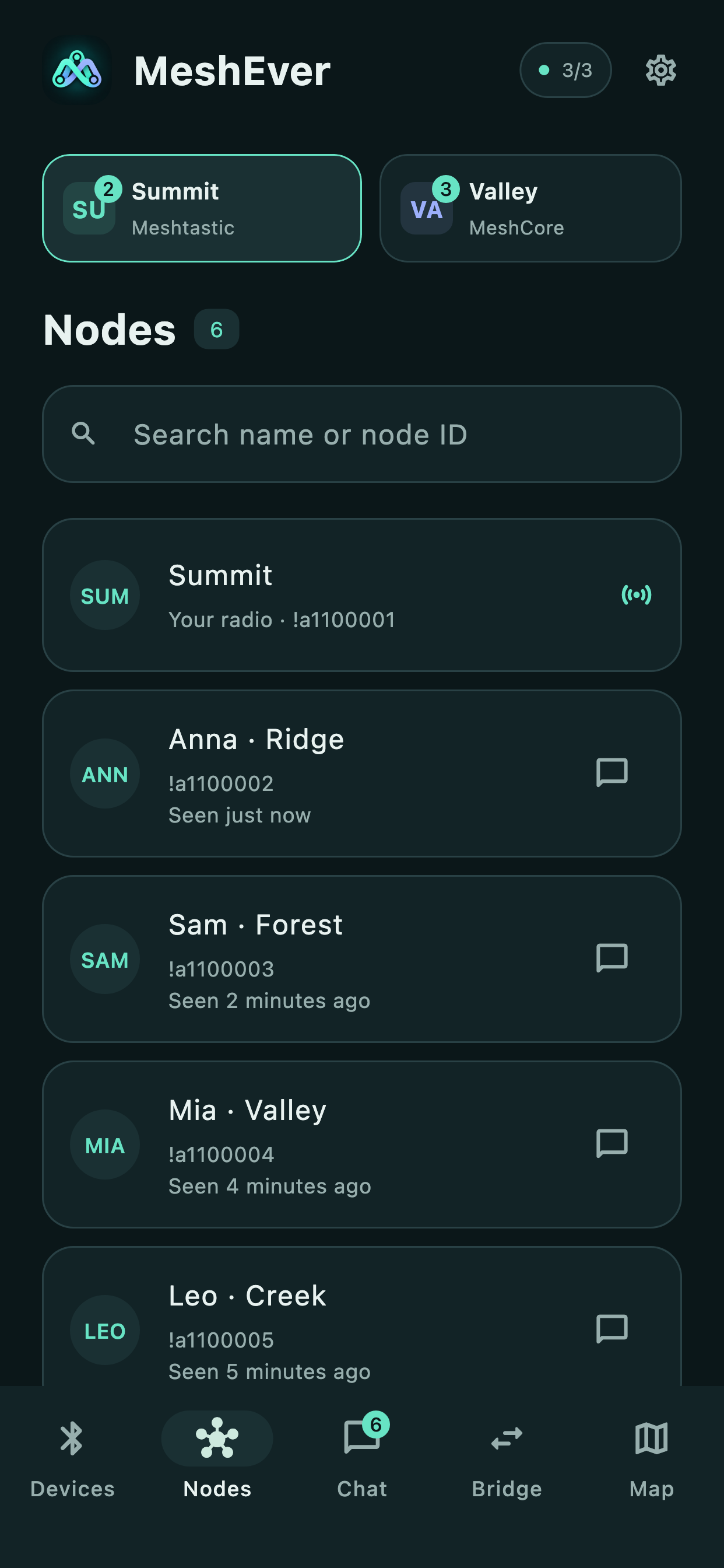
From your first radio to three simultaneous connections. Stay in control as your network grows.
More radios. More possibilities.
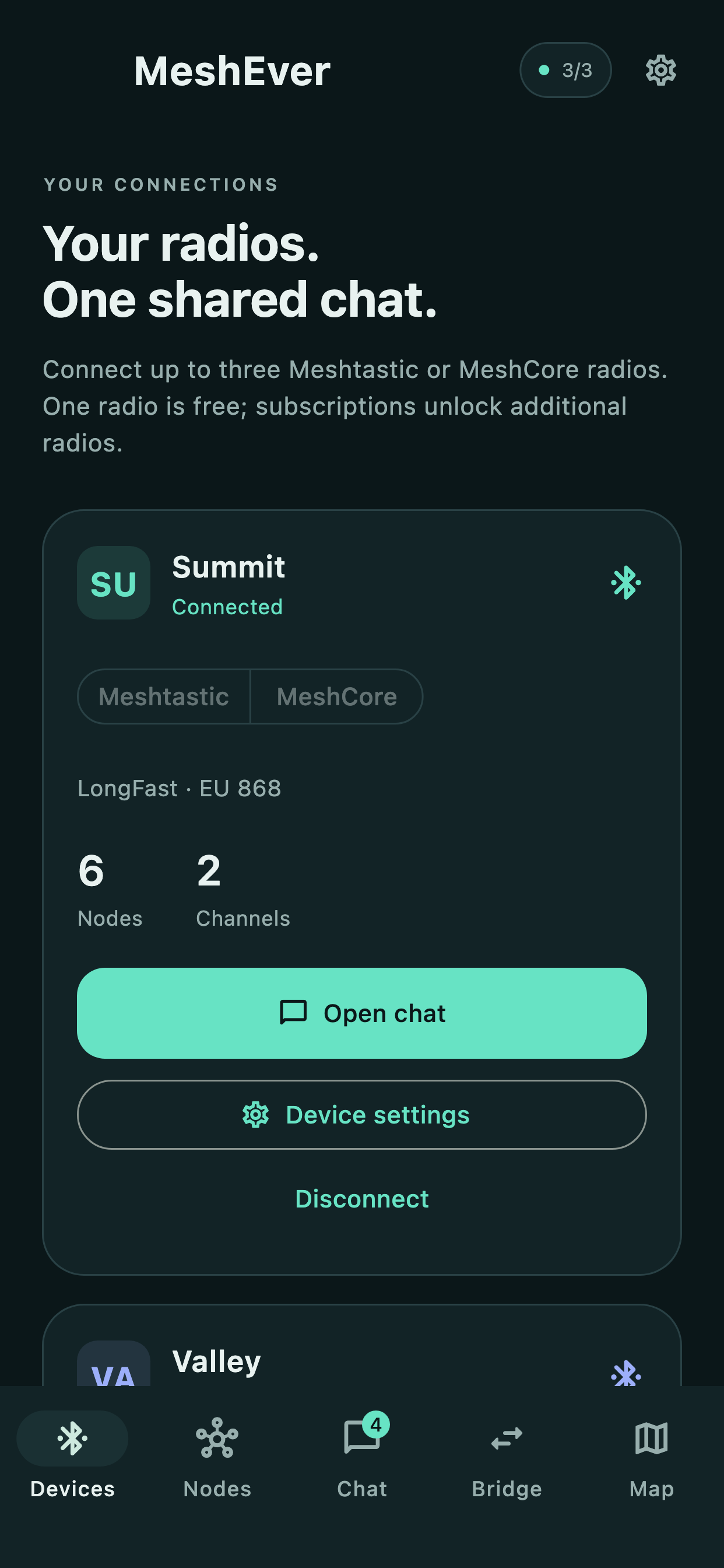
Connect up to three radios at the same time. Mix Meshtastic and MeshCore or stick with one protocol. Devices, channels and conversations stay clearly separated.
01Your first radioMeshtastic or MeshCoreFree
02Your second radioMeshtastic or MeshCorePlan
03Your third radioMeshtastic or MeshCorePlan
Keep your conversations close.
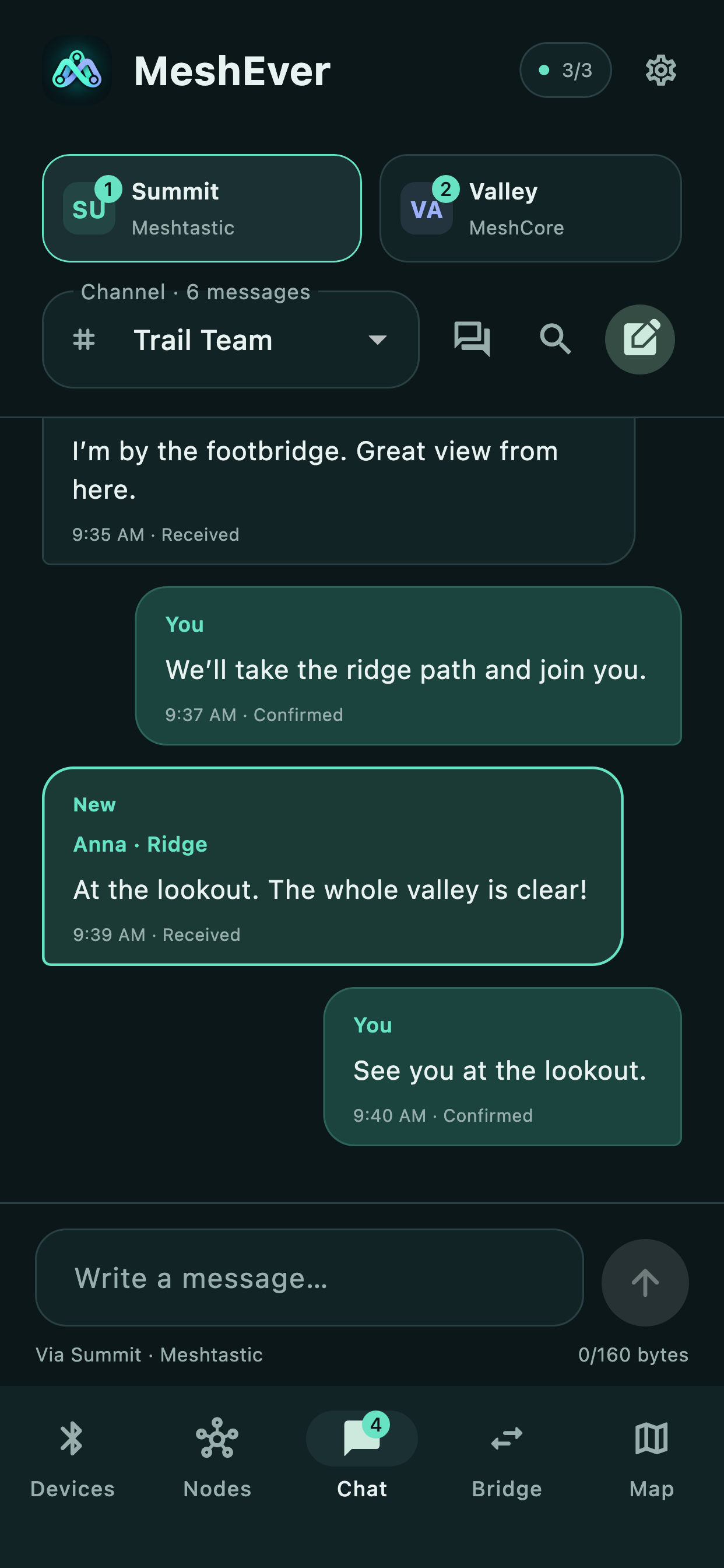
Channel chats and direct messages in one place. Search messages and senders, spot unread conversations and return to your recent, locally saved history.
See your mesh.
Explore known nodes and contacts. The built-in Apple map shows reported positions, with a distinct color for each connected radio.
Your radio. Your settings.
Manage names, channels, keys and LoRa settings right in the app. Choose Meshtastic modem presets or MeshCore community presets. Available settings depend on your radio and firmware.
CHOOSE YOUR CONNECTIONS
Two channels. One bridge.
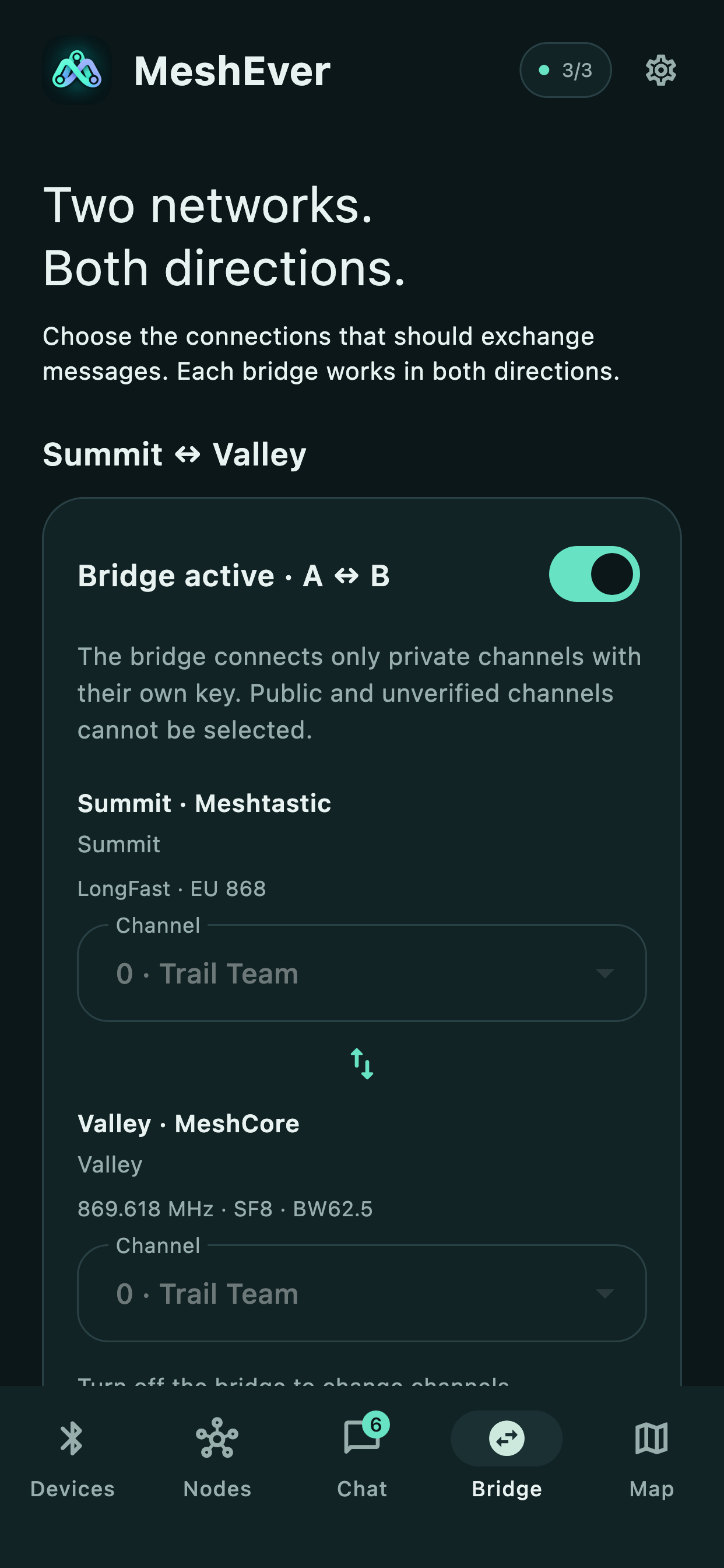
Your networks do not have to stay apart. Choose a pair of radios, select a private channel on each side and turn on the bridge.
MeshEver forwards incoming channel texts in both directions. With up to three radios, you choose which pairs are connected.
Bridge between different Meshtastic modem presets, too: use a radio configured with the corresponding preset on each side. MeshEver forwards text messages between the two private channels.
Actual app screens with fictional sample data. The English interface is shown; the app also supports German and French. Multiple radios and bridging require a subscription.
START SMALL. CONNECT MORE.
Room for your mesh to grow.
Use one radio for free. Choose the right Apple subscription for more simultaneous connections.
Plans refer to the total number of radios you can use simultaneously. The price for your region is shown in the app before purchase. Subscriptions renew automatically unless cancelled. Purchase, restore, manage and cancel through Apple. Terms of Use
GOOD TO KNOW
Ready for your mesh?
What you need to get started, and what to expect from MeshEver.
An iPhone or iPad running iOS 15 or later and at least one compatible Meshtastic or MeshCore radio with Bluetooth. Radios are sold separately. MeshCore requires Companion firmware; a repeater alone does not provide the required app interface.
Do I need an internet connection?
The app connects to your radios over Bluetooth. Messages travel over radio and require suitable coverage. Apple map tiles may require internet access. Downloading the app and purchasing or managing subscriptions require an internet connection.
Which messages can a bridge forward?
Incoming text messages from the selected private channels, in both directions. Both channels must use their own private keys. Public channels, direct messages and telemetry are not bridged. Bridging requires at least two connected radios and a subscription.
Does MeshEver work in the background?
Reception and forwarding are supported through the iOS Bluetooth background mode. They depend on Bluetooth connectivity and the execution time allowed by iOS. Continuous operation and delivery are not guaranteed. Manually closing the app in the app switcher stops background reception.
Do I need a MeshEver account?
No MeshEver account is needed. Your recent saved chat history stays locally on your device. Purchases and subscriptions are handled through your Apple account. Find out more in our privacy policy.
Which languages and platforms are supported?
MeshEver is built for iPhone and iPad. The app interface supports English, German and French. An Android version is not currently supported.
Does the map show all reachable nodes?
The map shows known nodes with a valid position reported by the radio. An entry does not guarantee current availability or radio range. Nodes without a known position are not placed on the map.
LET’S STAY CONNECTED.
Your next step? Let’s talk.
Questions about MeshEver, compatible radios or app availability? We are here to help.